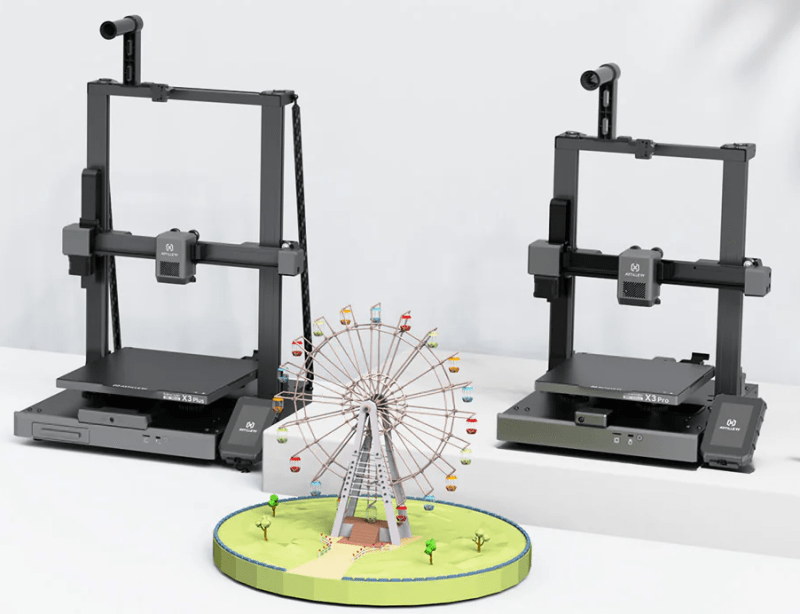
The Artillery Sidewinder X3 Pro and Artillery Sidewinder X3 Plus are amazingly capable and affordable 3D printers. They are fast and reliable, have a vast 300x300x400 mm build volume, and have excellent print quality. What would make them even better? How about free and unlimited remote access, AI print failure detection, real-time print notifications, live streaming, and more using OctoEverywhere.com? Sounds awesome, right?!?
OctoEverywhere’s setup process is designed to be extremely easy; it only takes about 30 seconds to get set up. Here’s a simple step-by-step guide to set up free and unlimited remote access for the Sidewinder X3 family of 3D printers.
Setup OctoPrint
The Artillery Sidewinder X3 runs the Marlin firmware, so it needs a companion device to run OctoEverywhere.
OctoPrint is an open-source 3D printing project that runs on a Raspberry Pi and attaches it to your printer to provide remote control, management, and monitoring of your 3D printer. OctoPrint is incredible; once you set it up, you will never want to go back.
Here’s a great guide on how to set up OctoPrint. You will need a Raspberry Pi, which you can purchase online for about $30. Once you have a device to run OctoPrint on, it’s very easy to set up and get running!
Install the OctoEverywhere Plugin
Once you have OctoPrint set up and running, you can install the OctoEverywhere plugin and be ready to go!
Our Getting Started website fully covers installing the plugin and includes a quick video tutorial.
Enjoy Your Free Remote Access For The Sidewinder X3
Octoeverywhere has many amazing free features to explore. Be sure to check out print live streaming with Live Links. Set up real-time printer notifications with snapshots. Enable Gadget for free and unlimited AI failure detection. Set up Mobileraker for iPhone or Android, an amazing 3rd party app, for easy mobile check-ins anywhere!
Enjoy OctoEveywhere, and welcome to the community!